Procreate Sewing Stitch Brushes: A Practical Guide for Digital Textile Design
Digital textile design has evolved from simple flat colors to complex, realistic representations of fabric and thread. For professionals, hobbyists, and entrepreneurs working within the iPad ecosystem, the quality of your digital assets directly impacts the realism of your final output. Procreate Sewing Stitch Brushes represent a critical component in this workflow, bridging the gap between vector-like precision and organic texture. These tools are not merely decorative; they are functional assets that allow designers to simulate the physical properties of sewing, embroidery, knitting, and fabric weaves with high fidelity.
Integrating these brushes into your creative process requires an understanding of how they function alongside other digital assets. Whether you are creating technical flats for a fashion line, designing patterns for home decor, or illustrating concepts for a children's book, the ability to render authentic stitching is essential. This guide explores how to effectively utilize Procreate Sewing Stitch Brushes, manage your brush library, and implement these tools into a professional-grade workflow.
Understanding the Asset Library and Its Components
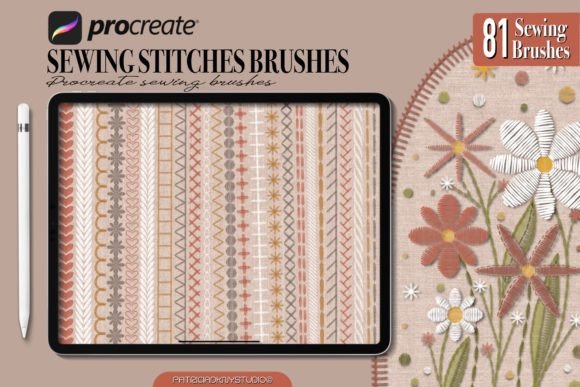
A robust set of Procreate Sewing Stitch Brushes goes beyond a single stitch type. To achieve a comprehensive look, a well-curated collection includes various categories that mimic different textile techniques. The specific listing referenced here provides a diverse toolkit consisting of 72 sewing stitch brushes, 9 fabric linen texture brushes, along with dedicated sets for embroidery and knitting. This variety ensures that you can handle multiple stages of a project without needing to switch between applications or hunt for disparate resources.
The 72 sewing stitch brushes cover the spectrum of common construction methods. You will find running stitches, backstitches, zigzag overlocks, and buttonhole details. These are essential for defining seams, hems, and structural elements in garment design. The inclusion of embroidery brushes allows for the simulation of raised, decorative thread work, adding depth and dimension to illustrations. Knitting brushes provide the looped texture necessary for woolen garments, while the fabric linen texture brushes serve as foundational layers to ground your designs in a realistic material context.
Having all these variations in one place streamlines the planning phase of any project. Instead of spending hours configuring individual brush settings to mimic a specific stitch, you can select a pre-configured tool that matches the intended physical outcome. This efficiency is vital for freelancers and small business owners who need to turn around concepts quickly while maintaining high-quality standards.
Installation and Setup on iOS Devices
The utility of any digital asset depends on its accessibility. With the latest iOS updates, Apple has streamlined the import process for third-party content, making it easier than ever to add new tools to your Procreate environment. Proper installation ensures that your workflow remains uninterrupted and that your file management stays organized.
To install the Procreate Sewing Stitch Brushes using the current system requirements, follow this direct process:
- Download the File: Navigate to your source platform, such as Creative Fabrica, and locate the product page for the brush set.
- Select the Correct Format: Click on the download arrow located at the top right side of the browser bar. From the dropdown menu, ensure you choose the
.brushsetfile specifically. Avoid downloading ZIP files if a direct brushset option is available, as this simplifies the next step. - Import into Procreate: Once the download completes, tap the file. The iOS Files app should recognize the format and automatically prompt Procreate to open. If prompted, confirm that you want to open the file in Procreate.
- Verification: Upon opening Procreate, navigate to the Brush Library (the paintbrush icon). You will see a new folder containing the imported set. Verify that all 72 sewing stitches and 9 texture brushes are present and categorized correctly.
This seamless integration means you can have your new tools ready for immediate use within minutes. It eliminates the friction often associated with managing external assets, allowing you to focus entirely on the creative execution.
Integrating Stitches into Your Design Workflow
The true value of Procreate Sewing Stitch Brushes lies in how they are applied throughout the lifecycle of a project. They are versatile enough to be used during the initial sketching phase, the detailed rendering stage, and even in post-production adjustments.
Pre-Production and Conceptualization
In the early stages of a design, clarity is paramount. When presenting ideas to clients or stakeholders, rough sketches often lack the detail needed to convey construction intent. By utilizing basic sewing stitch brushes early on, you can annotate your sketches with precise seam lines and hem placements. This helps in communicating exactly where a garment will be constructed, reducing ambiguity before the pattern-making phase begins. It serves as a visual language that bridges the gap between abstract ideas and tangible manufacturing plans.
Execution and Rendering
During the main illustration phase, these brushes become the primary tools for adding realism. The process typically involves layering. Start by laying down the base color of the fabric. Then, apply the fabric linen texture brushes at a low opacity to introduce subtle grain and weave. Finally, overlay the specific sewing stitch brushes to define edges and details.
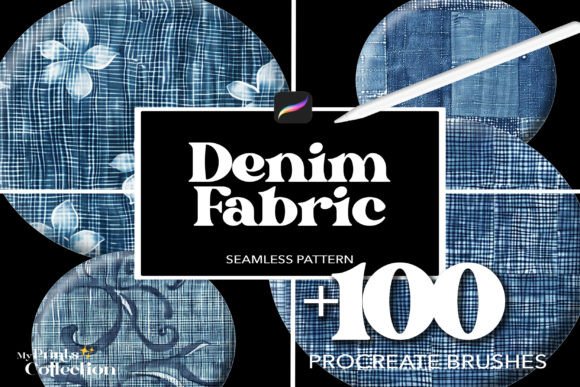
For example, when designing a denim jacket, you might use a heavy-duty zigzag brush for the seams to mimic industrial machinery, followed by a finer embroidery brush for decorative patches. The interaction between the texture brushes and the stitch brushes creates a sense of depth that flat coloring cannot achieve. This layering technique mimics the physical reality where thread sits on top of fabric, catching light differently than the material beneath it.
Post-Production and Quality Control
Even after the main artwork is complete, these brushes are useful for refinement. You may notice that certain areas require more definition or that a specific seam looks too uniform. Using the varied stroke options within the 72-stitch set, you can manually adjust tension and spacing to make the stitching look more organic. This attention to detail is crucial for high-end presentations, marketing materials, and e-commerce imagery where product authenticity drives sales.
Optimizing Efficiency and Organization
With a large number of brushes available, organization becomes a key factor in maintaining productivity. A disorganized library can lead to wasted time searching for the right tool. To maximize efficiency, take advantage of Procreate's organizational features immediately after installation.
Create custom folders within the brush library to categorize the assets logically. Group the 72 sewing stitches by function—such as "Construction," "Decorative," and "Overlock." Place the 9 fabric linen texture brushes in a separate "Base Materials" folder. This structure allows you to locate the exact tool you need in seconds, keeping your creative momentum intact. Furthermore, consider creating a master template file that already has these brushes loaded and configured with your preferred pressure sensitivity and size settings. This setup ensures consistency across multiple projects and reduces repetitive configuration tasks.
Compatibility and Long-Term Usability
When investing in digital assets like Procreate Sewing Stitch Brushes, long-term usability is a significant consideration. These brushes are designed to be compatible with the latest versions of Procreate and iOS, ensuring that your investment remains viable as software updates occur. However, it is good practice to periodically check for compatibility notes from the creator, especially following major OS upgrades.
These tools also interact well with other digital resources. They can be combined with photo-realistic textures, scanned fabrics, and vector outlines imported from other design software. This interoperability makes them a flexible part of a broader digital ecosystem. Whether you are exporting assets for print, web, or social media, the high resolution and vector-like quality of the strokes ensure that your work scales without losing integrity.
For educators and bloggers teaching digital art, these brushes provide excellent examples of how to simulate real-world textures. They offer a practical way to demonstrate the principles of texture, layering, and lighting to students. For marketers and publishers, the ability to generate unique, high-quality textile imagery without expensive photoshoots offers a cost-effective solution for content creation.
Conclusion
Procreate Sewing Stitch Brushes are more than just a collection of digital pens; they are essential instruments for anyone serious about textile design, fashion illustration, or surface pattern creation. By providing a comprehensive suite of 72 sewing stitches, 9 fabric textures, and specialized embroidery and knitting tools, they empower users to create authentic, detailed, and professional-grade artwork. Through proper installation, strategic organization, and thoughtful integration into your workflow, these brushes can significantly enhance both the speed and quality of your creative output. Whether you are a freelancer delivering client-ready flats or a hobbyist exploring the world of digital fashion, mastering these tools opens up new possibilities for expression and efficiency.